
Download Klenty – AI‑Powered Sales Cadence Builder & Outreach Automation
Overview
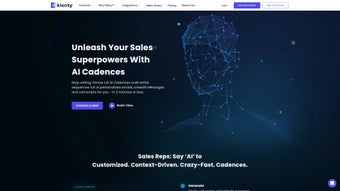
Klenty is a web‑based sales acceleration platform that leverages artificial intelligence to create, manage, and execute multi‑channel outreach cadences in a fraction of the time traditional methods require. Designed for modern sales teams, the solution lets users generate call scripts, LinkedIn follow‑ups, and email sequences in under two minutes, cutting cadence‑building time by up to fivefold. By integrating directly with leading CRMs such as Salesforce and HubSpot, Klenty eliminates manual data entry, synchronizes prospect activity, and provides real‑time performance insights.
Its AI Cadences feature adds a layer of hyper‑personalization through multimedia elements—videos, voice notes, and dynamic images—making each touchpoint feel tailor‑made for the recipient. The platform also includes cadence playbooks that automate repetitive workflow steps, allowing reps to focus on high‑value conversations rather than administrative tasks. Whether you’re a solo founder or a global sales organization, Klenty promises to streamline prospecting, boost reply rates, and ultimately increase revenue pipelines with a secure, cloud‑native architecture that receives continuous updates.
Beyond the core functionality, Klenty offers robust reporting dashboards, role‑based access controls, and an extensible API that lets developers embed cadence data into custom workflows. The service complies with GDPR and SOC 2 standards, ensuring that sensitive lead information remains protected while still being easily accessible to authorized team members. In practice, teams that adopt Klenty often report a measurable reduction in the time spent on sequence planning, freeing up sales representatives to engage in more strategic activities such as relationship building and deal negotiation.
This combination of speed, intelligence, and security makes Klenty a compelling choice for any organization looking to modernize its outbound sales strategy.
Core Features that Power Modern Sales Teams
- AI‑Generated Cadences: Automatically draft multi‑channel sequences (email, phone, LinkedIn) in seconds using natural‑language processing.
- Multi‑Channel Outreach: Seamlessly blend email, calls, SMS, and social touches within a single cadence.
- Dynamic Playbooks: Pre‑built workflow templates that trigger CRM updates, task creation, and follow‑up reminders.
- Hyper‑Personalization: Insert personalized video clips, GIFs, and voice notes to increase engagement.
- CRM Integration: Native connectors for Salesforce, HubSpot, Pipedrive, and Zoho CRM, ensuring data sync in real time.
- Data‑Driven Insights: Dashboard analytics show open rates, reply ratios, and sequence performance at a glance.
- Team Collaboration: Shared cadence libraries, role‑based permissions, and activity logs for transparent teamwork.
- Automation Rules: Conditional branching based on prospect behavior (e.g., email opened → send video).
- Security & Compliance: End‑to‑end encryption, GDPR‑ready controls, and SOC 2 compliance for enterprise peace of mind.
- Continuous Updates: Cloud‑first delivery ensures you always have the latest AI models and feature enhancements.
Each of these capabilities is built around the premise that sales outreach should be both fast and deeply relevant. The AI engine learns from your historical data, suggesting subject lines, call scripts, and timing windows that have historically yielded higher response rates. Because the platform is fully web‑based, there is no need for bulky desktop installations; you can log in from any modern browser, and all changes are saved instantly to the cloud.
Moreover, the modular nature of the playbooks means you can start with a simple email‑only cadence and later expand to a full multi‑channel sequence as your team matures. The system also supports granular tagging, allowing managers to segment prospects by industry, company size, or buying stage, and then automatically assign the most appropriate cadence to each segment. This level of automation reduces human error and ensures a consistent brand voice across every outreach attempt.
Finally, the built‑in analytics not only track traditional metrics like open and click‑through rates but also surface deeper insights such as the optimal time of day for each prospect type, enabling data‑driven adjustments that continuously improve campaign effectiveness.
Installation, Usage Instructions, and Compatibility
Getting Started – A Step‑by‑Step Guide
1. Sign Up: Visit Klenty.com and create a free trial account using your work email. No credit card is required for the initial 14‑day period.
2.
Connect Your CRM: After account activation, navigate to the Integrations tab. Choose your CRM (Salesforce, HubSpot, etc.) and follow the OAuth flow to grant Klenty read/write permissions.
3. Import Leads: Upload a CSV file or sync directly from your CRM’s lead list.
Klenty will automatically map standard fields (Name, Email, Company) and let you customize any additional columns.
4. Create a Cadence: Click New Cadence, select a template (e.g., “Cold Email + LinkedIn”), and let the AI suggest the first draft. Edit any wording, add personalization tokens, and attach multimedia assets.
5.
Launch & Monitor: Assign the cadence to a team member or a group, schedule the start date, and watch the live dashboard for real‑time performance metrics.
6. Iterate Using Insights: After a few days, review the analytics pane to see which steps are under‑performing. Use the built‑in A/B testing tool to tweak subject lines or call scripts, then republish the updated cadence.
7.
Scale Across Teams: Once you’ve refined a winning cadence, add it to the shared library. Team leads can then clone the cadence for their own reps, ensuring consistent messaging across the organization.
Operating System Compatibility
Klenty is a cloud‑native SaaS product, which means it works on any operating system that supports a modern web browser. Whether your sales team uses Windows 10/11, macOS Ventura, Linux distributions, or even mobile platforms like iOS and Android, you’ll enjoy the same feature set. The responsive UI adapts to tablet and smartphone screens, allowing reps to approve replies, add notes, or adjust sequences on the go. For power users, a Chrome extension is available that surfaces prospect data directly within Gmail or Outlook web clients, further reducing context switching. Because all processing happens in the cloud, there is no need for local hardware upgrades; the only requirement is a stable internet connection and a supported browser (Chrome, Edge, Firefox, or Safari).
Best Practices for Maximum ROI
To get the most out of Klenty, consider the following practices:
• Segment Your Audience: Create separate cadences for different buyer personas (e.g., enterprise vs. SMB) to tailor messaging.
• Leverage A/B Testing: Duplicate a cadence and tweak subject lines or call scripts; let Klenty’s analytics identify the winning variant.
• Set Thoughtful Cadence Length: Avoid overly aggressive outreach; a typical 7‑step sequence spread over 14 days balances persistence with respect.
• Utilize Playbook Automation: Automate task creation in your CRM when a prospect replies, ensuring no lead falls through the cracks.
• Regularly Review Insights: Use the built‑in reporting to spot bottlenecks (e.g., low reply rates after step 3) and refine the flow accordingly.
• Maintain Data Hygiene: Periodically purge stale leads from your lists to keep deliverability high and avoid unnecessary cost.
• Train Your Team: Conduct short onboarding sessions that walk reps through the AI suggestions and personalization tokens, so they feel confident editing the drafts rather than treating them as static scripts.
Pros, Cons, and Frequently Asked Questions
Pros & Cons
- Pros:
- AI‑driven cadence creation reduces manual drafting time dramatically.
- Multi‑channel support (email, phone, LinkedIn, SMS) from a single platform.
- Deep CRM integrations keep data synchronized without duplicate entry.
- Rich analytics and AI recommendations improve outreach effectiveness.
- Scalable for solo entrepreneurs to large enterprise sales teams.
- Secure, GDPR‑compliant hosting with SOC 2 certification.
- Responsive design works equally well on desktop, tablet, and mobile.
- Extensible API enables custom integrations and workflow automation.
- Built‑in playbooks accelerate onboarding of new sales reps.
- Continuous cloud updates ensure you always have the latest features.
- Cons:
- Learning curve for advanced automation rules can be steep for beginners.
- Higher pricing tiers may be prohibitive for very small startups.
- Limited native support for niche CRMs (requires Zapier work‑arounds).
- Heavy reliance on internet connectivity; offline mode is not available.
- Some users report that the AI suggestions need occasional human refinement.
- Complex playbooks may require dedicated admin time to maintain.
FAQ – Your Questions Answered
Can I use Klenty on a mobile device?
Yes. Klenty’s web interface is fully responsive, and there’s a dedicated iOS/Android app that lets you monitor cadences, approve replies, and add notes while on the go.
How does Klenty handle data privacy and compliance?
Klenty is SOC 2 Type II certified and GDPR‑ready. All data is encrypted at rest and in transit, and you can configure data retention policies to meet regional regulations.
Is there a free version or trial available?
Klenty offers a 14‑day free trial with full feature access. After the trial, you can choose from several paid plans based on seat count and cadence volume.
Can I import existing sequences from another tool?
Yes. Klenty supports CSV import of cadence steps, and you can also use the API to migrate sequences from platforms like Outreach or SalesLoft.
What level of customer support does Klenty provide?
All paid plans include email support, while premium tiers receive 24/7 live chat and a dedicated account manager. The knowledge base also offers video tutorials and best‑practice guides.
Does Klenty offer integrations beyond CRM systems?
Beyond CRM connectors, Klenty integrates with popular marketing automation tools (e.g., Marketo, HubSpot Marketing), calendar apps for meeting scheduling, and webhook services for custom event handling.
Conclusion – Is Klenty the Right Choice for Your Sales Team?
In a market where every minute spent on manual outreach is a minute lost from selling, Klenty stands out as a powerful ally. Its AI Cadences feature not only accelerates sequence creation but also injects a level of personalization that typical automation tools struggle to achieve. By tying outreach directly into the CRM ecosystem, the platform eliminates the dreaded “data silos” that plague many sales organizations, ensuring that every interaction is logged and actionable.
While the pricing may be a consideration for ultra‑small teams, the productivity gains—often translating to a 20‑30% increase in qualified meetings—justify the investment for most mid‑size to enterprise users. The platform’s security posture, built on GDPR‑ready encryption and SOC 2 compliance, gives decision‑makers confidence that sensitive prospect data remains protected. Moreover, the continuous cloud updates mean you’ll always have the latest AI enhancements without the hassle of manual upgrades.
If you’re looking to modernize your prospecting workflow, reduce manual entry, and gain data‑driven insights, Klenty provides a secure, cloud‑first solution that scales with your ambitions.
Ready to experience AI‑enhanced selling? Download Klenty today and start your free trial. Let the platform handle cadence creation while you focus on closing deals, nurturing relationships, and expanding your pipeline. Whether you’re a startup aiming for rapid growth or an established enterprise seeking efficiency, Klenty’s blend of intelligence, automation, and compliance positions it as a strategic investment in the future of outbound sales.



.png)



